AJT icon Aaron Johnson Tech wordmark
Back to home

Wazuh detection engineering

Detecting SSH brute force against Windows eleven with Wazuh

Small home soc lab where Kali attacks a Windows eleven workstation over SSH and a custom AJT rule in Wazuh turns noisy failures into a clear alert for a new analyst.

Stack

Wazuh OVA, Windows eleven, Kali, VirtualBox NAT network

Focus

Detection rule design, event enrichment, threat hunting

Assets

Full pdf write up and a short lab walk through video below.

Overview

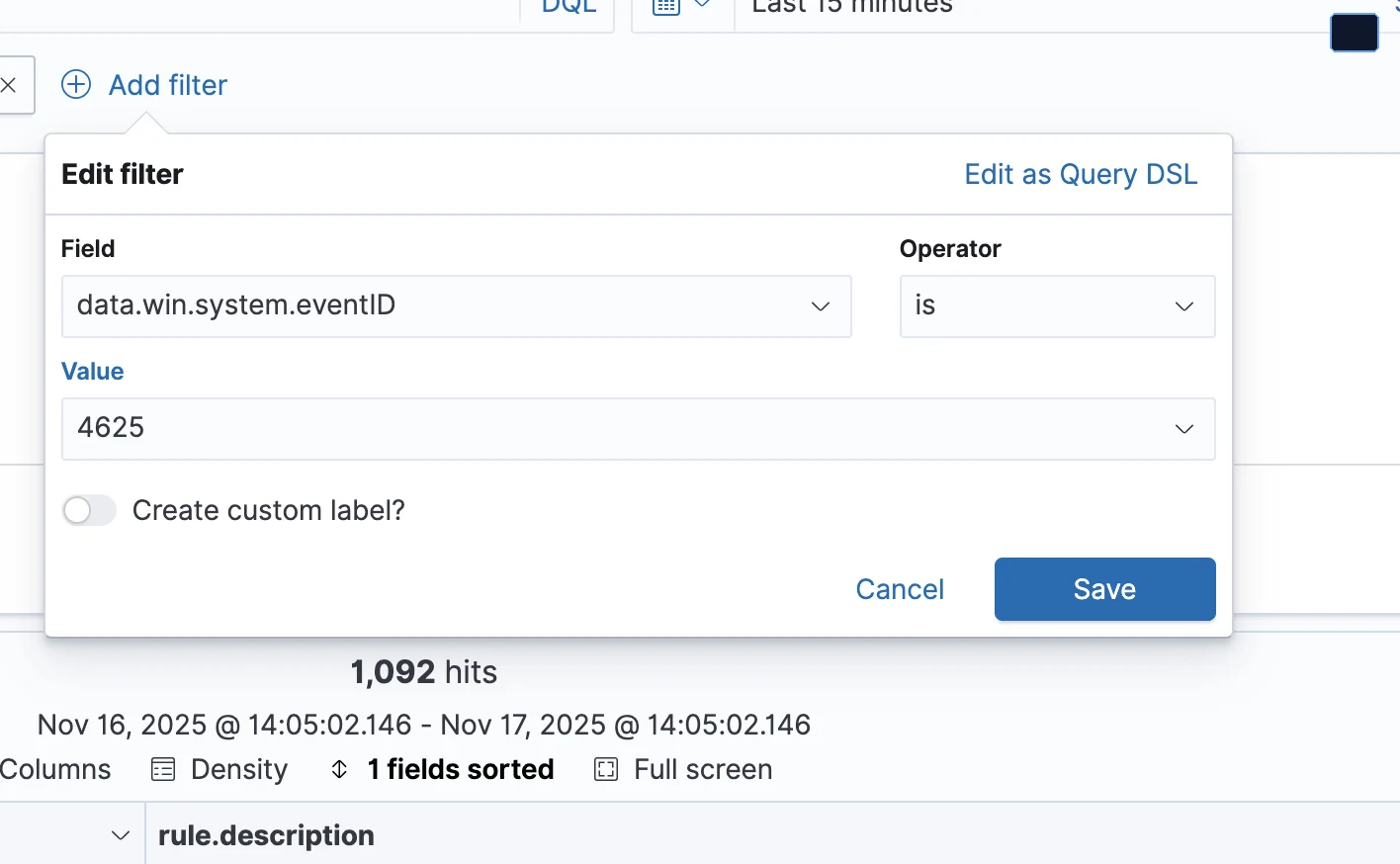
The goal of this lab was to design and implement a custom AJT rule in Wazuh that clearly calls out possible SSH brute force activity against a Windows eleven host. Instead of leaving the analyst to dig through raw event forty six twenty five entries, the rule wraps that noise into a single descriptive alert with fields that tell the story.

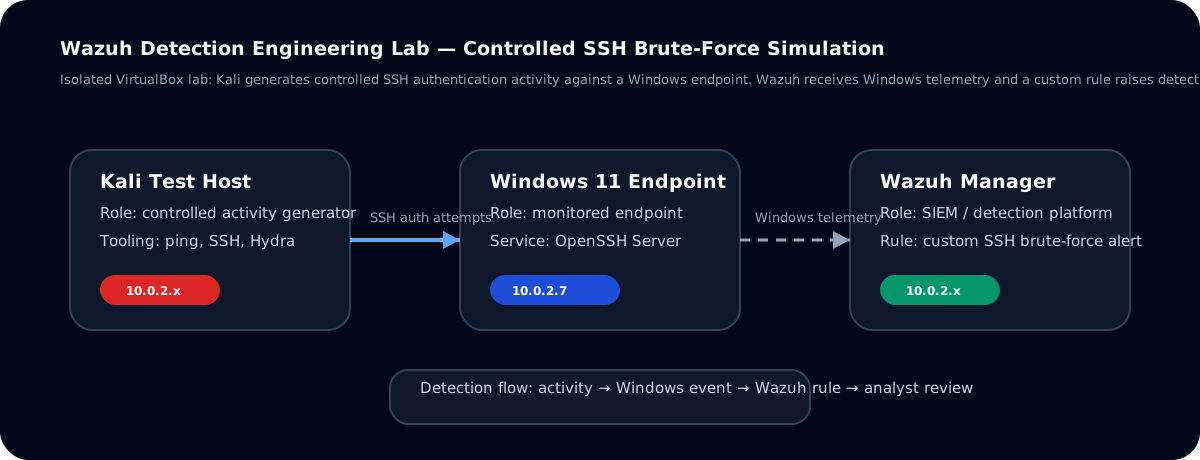
  • Build a small three system environment with Wazuh manager, Windows workstation, and Kali attacker on the same NAT network.
  • Generate repeated SSH failures from Kali into Windows using Hydra.
  • Create a custom Wazuh rule that fires when the Windows event matches the pattern for this activity.
  • Use the Threat Hunting view to confirm the detection and review the events like an analyst.

Lab topology and environment

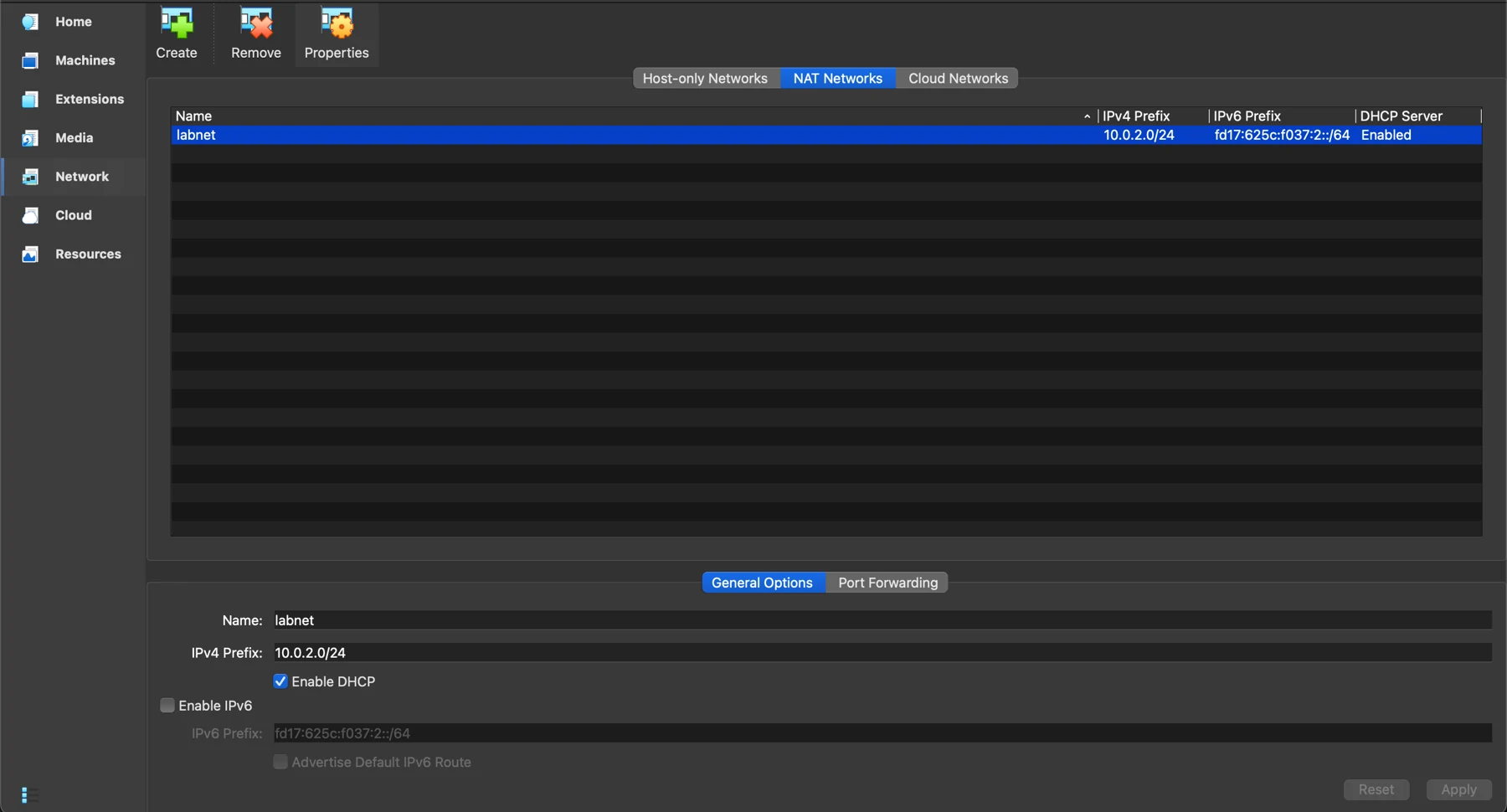
The lab runs on a MacBook Pro host with Oracle VirtualBox using a NAT network named labnet. All virtual machines share the ten dot zero dot two dot zero slash twenty four address space with DHCP enabled, which keeps routing simple and the screenshots consistent.

Role System Hostname Address on labnet Notes
SIEM Wazuh OVA four point fourteen wazuh server ten dot zero dot two dot six Manager, indexer, and dashboard
Endpoint Windows eleven Calibred1324 ten dot zero dot two dot seven OpenSSH server and Wazuh agent
Attacker Kali Linux kali ten dot zero dot two dot five SSH client with Hydra password tool
VirtualBox NAT network and lab VMs grouped under Brute Force Lab
VirtualBox view of the labnet environment with Kali, Windows, and Wazuh grouped for this lab.

Key steps in the lab

  1. Enable the built in OpenSSH server on Windows eleven and verify you can connect from Kali with a known account.
  2. Configure Wazuh so the Windows agent is registered and sending security events to the manager.
  3. From Kali, use Hydra against the Windows host to generate repeated SSH login failures for the target account.
  4. Author a custom Wazuh rule that watches for the Windows security event and tags it as an AJT lab alert with a higher level.
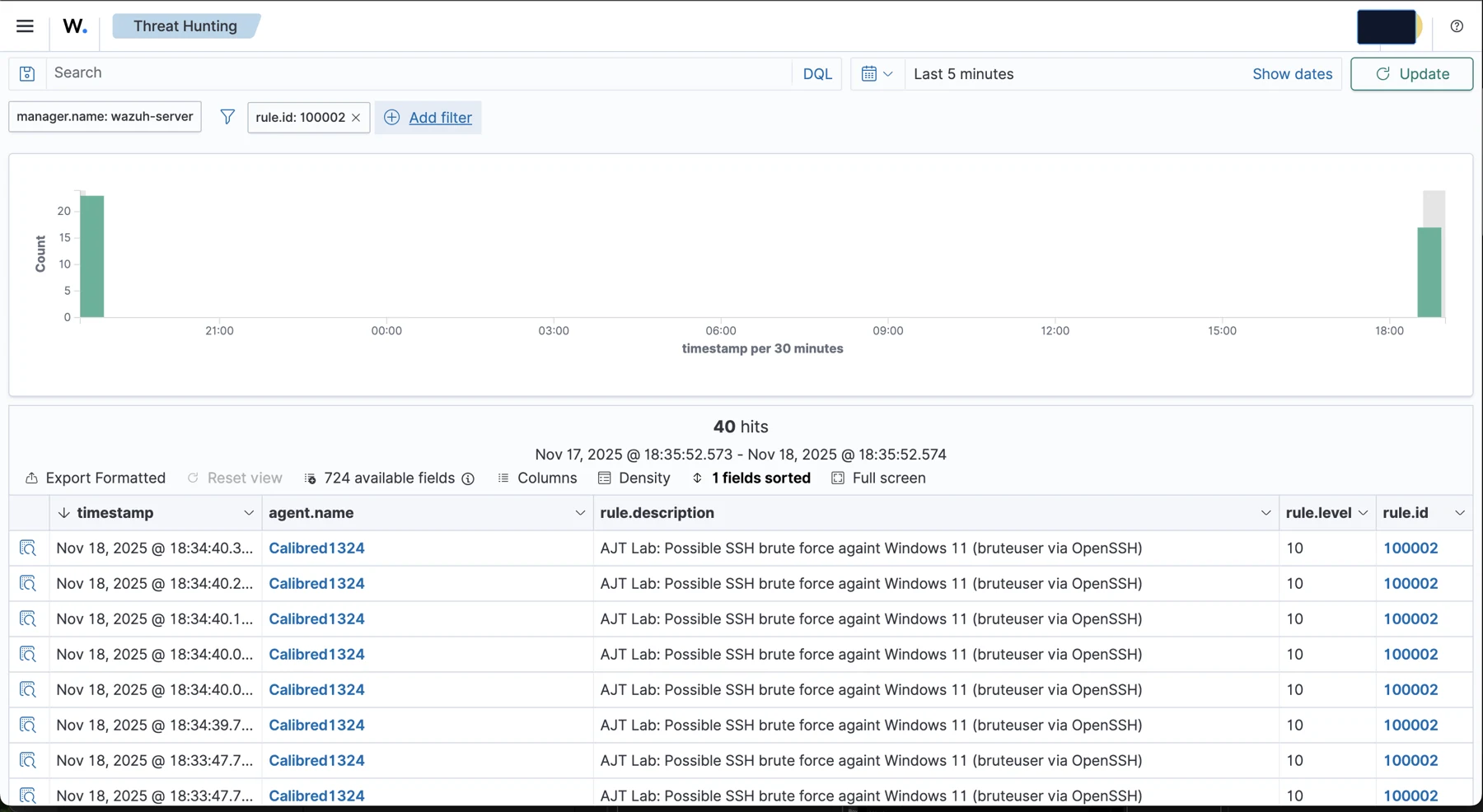
  5. Pivot into the Threat Hunting view and filter on the new rule id to see the series of events as an analyst would.
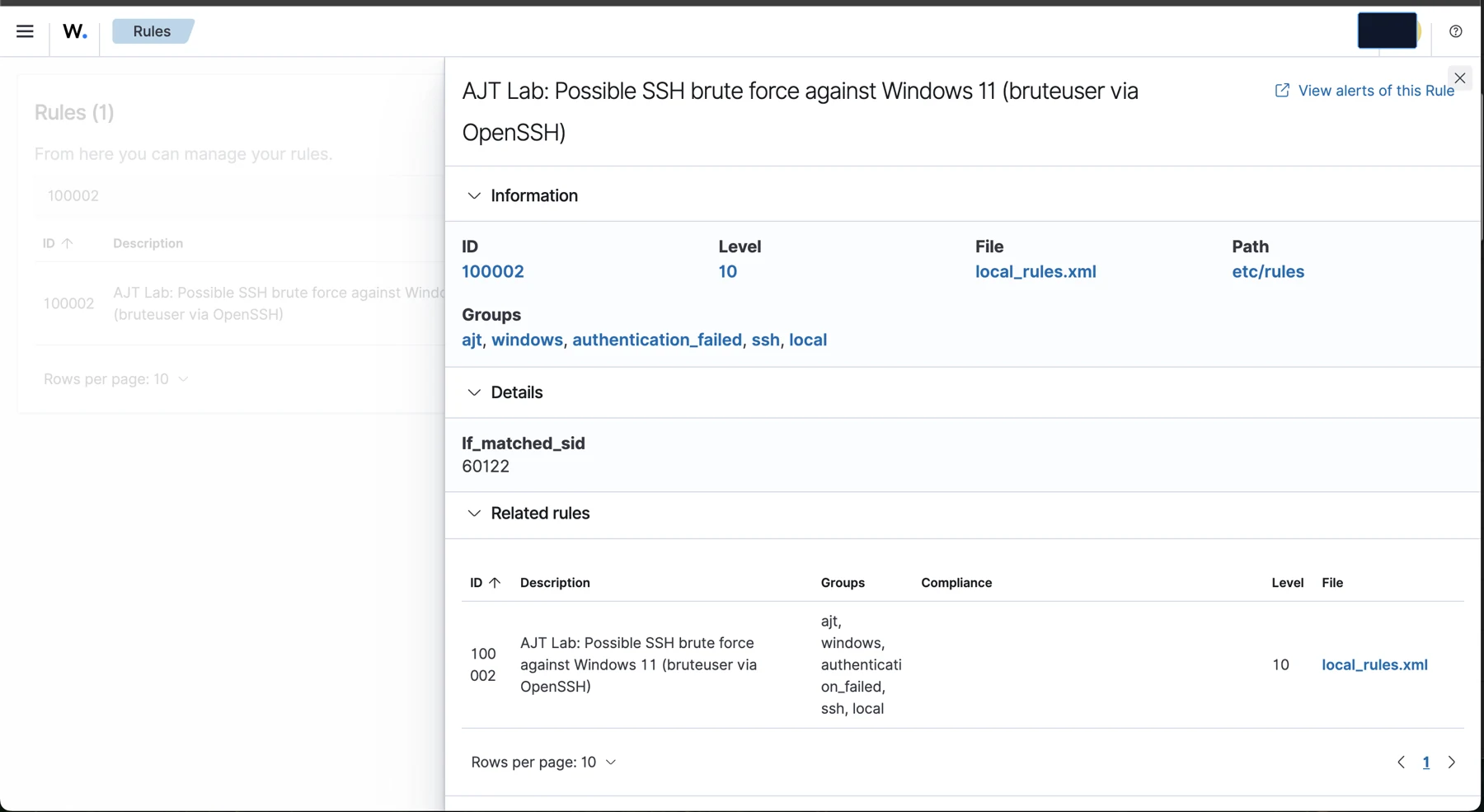
Custom Wazuh local rule definition for the AJT brute force lab
Custom AJT rule in Wazuh that wraps the base Windows event into a clear brute force alert.
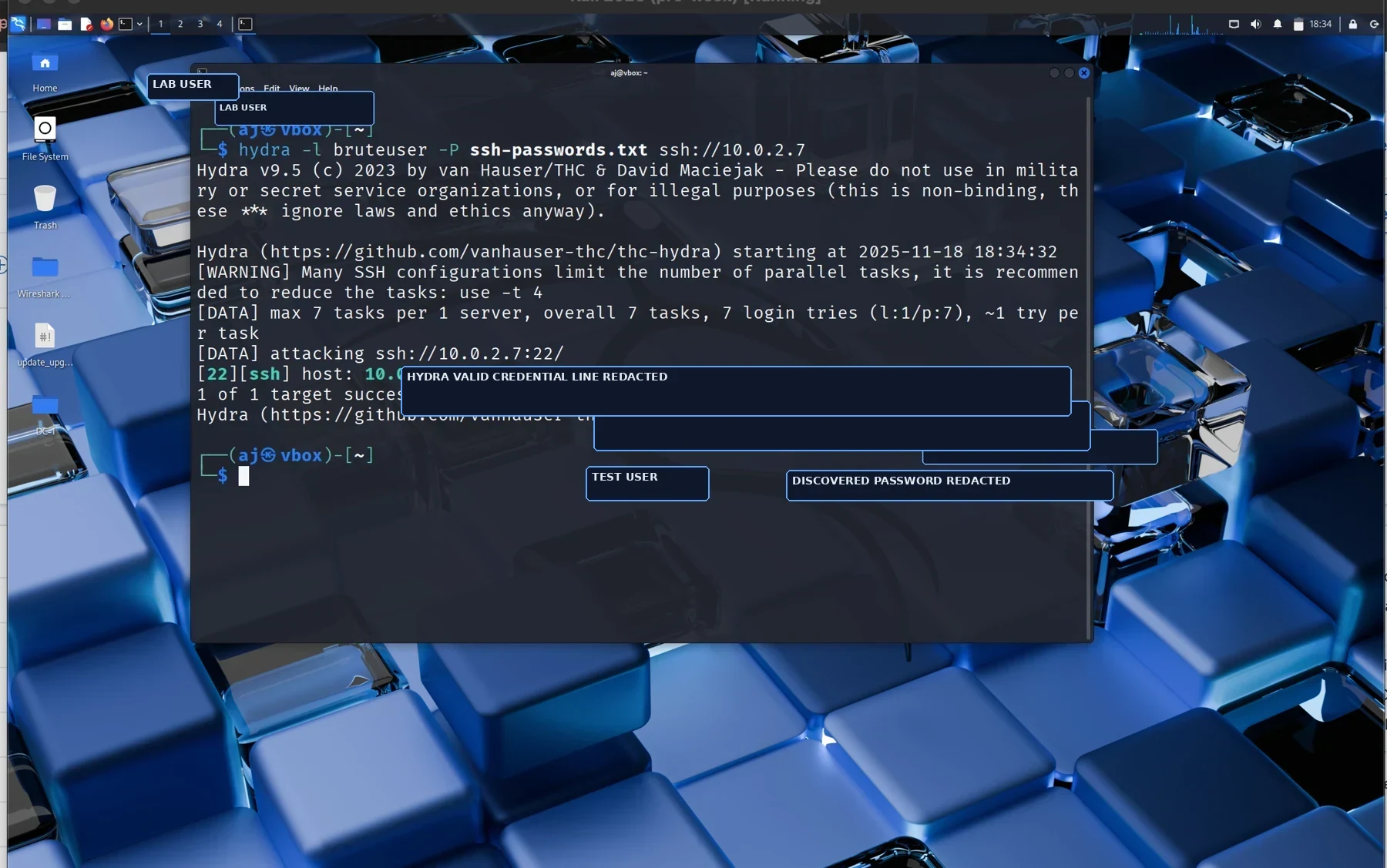
Kali Hydra terminal output showing successful brute force against the Windows host
Hydra on Kali successfully guesses the password for the lab account, creating the burst of events Wazuh will detect.
Wazuh Threat Hunting view filtered on the custom rule id with multiple hits
Threat Hunting view in Wazuh, filtered by the custom rule id, so a new analyst can quickly review the activity.

Short walk through video

This short video walks through the environment, the attack from Kali, and the custom rule firing inside Wazuh.

Lessons learned

This lab reinforced that good detection work starts with a clear picture of the environment. Locking in the network layout and address space made it easier to reason about every alert that came through Wazuh and to document the story afterward.

  • A small lab with three clear roles can teach more than a large stack with no narrative.
  • Windows SSH plus Hydra is a simple way to generate real signals for practice, without touching any live systems.
  • Custom rules that speak the language of the analyst are easier to triage than generic ids and event codes.

This is one of the first entries in a growing library of AJT labs. Each case study is designed to show not only that an alert fired, but how the environment, the attack, and the detection all connect.