AJT icon mark Aaron Johnson Tech — Security Operations, Detection Engineering, AI Security

Detection engineering case study

Wazuh Detection Engineering Lab

Built a controlled lab to generate SSH authentication telemetry against a Windows endpoint, tune Wazuh detection logic, document triage guidance, and validate analyst-facing alerts for possible brute-force behavior.

WazuhWindows Security EventsOpenSSHHydraCustom rule logicThreat hunting
Objective

Turn repeated SSH authentication activity into a clear analyst signal.

Telemetry

Windows 11 endpoint running OpenSSH Server with Windows authentication events forwarded into Wazuh.

Detection

Custom Wazuh rule raised level 10 alerts for repeated authentication failures.

Outcome

Threat Hunting confirmed repeated rule hits and gave analysts an investigation starting point.

Case-study summary

Security problem

Repeated authentication failures can be noisy when viewed as individual events. The goal was to convert that activity into a higher-confidence detection pattern that an analyst could quickly identify, filter, and investigate.

Environment

VirtualBox-based isolated lab using Kali as a controlled activity generator, Windows 11 with OpenSSH Server as the monitored endpoint, and Wazuh as the SIEM/detection platform.

Build / implementation

Configured the endpoint service, generated controlled SSH authentication failures, reviewed the Windows event pipeline, wrote chained Wazuh detection logic using frequency/timeframe criteria, and documented triage and false-positive considerations.

Validation

Confirmed the end-to-end path from controlled SSH activity to Windows telemetry to custom Wazuh alert output in Threat Hunting and dashboard views.

Analyst takeaway

What this proves to a hiring manager

This project demonstrates the full detection-engineering loop: understand the telemetry source, safely create repeatable test activity, write logic that reduces noise, validate alert output, and give analysts context for escalation and tuning.
Skills demonstrated

Role-aligned capabilities

  • Detection rule design and validation
  • SIEM investigation workflow
  • Windows authentication telemetry review
  • False-positive analysis and triage guidance
  • Lab safety, documentation, and repeatability

Evidence gallery

Screenshots and artifacts

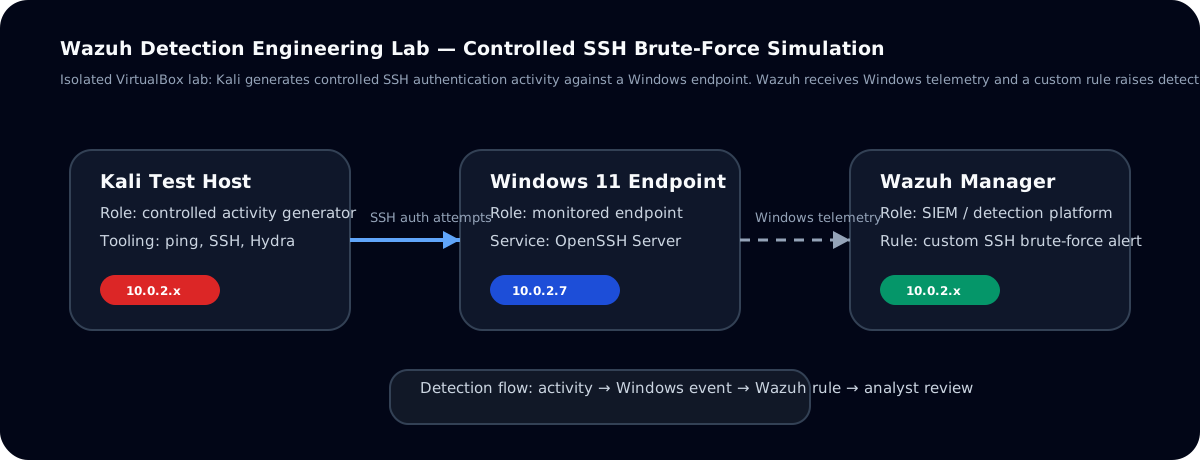
Diagram showing Kali generating SSH authentication activity against a Windows endpoint and Wazuh receiving telemetry for detection validation.
Detection flow: controlled activity from Kali, telemetry on Windows, and alert validation in Wazuh.
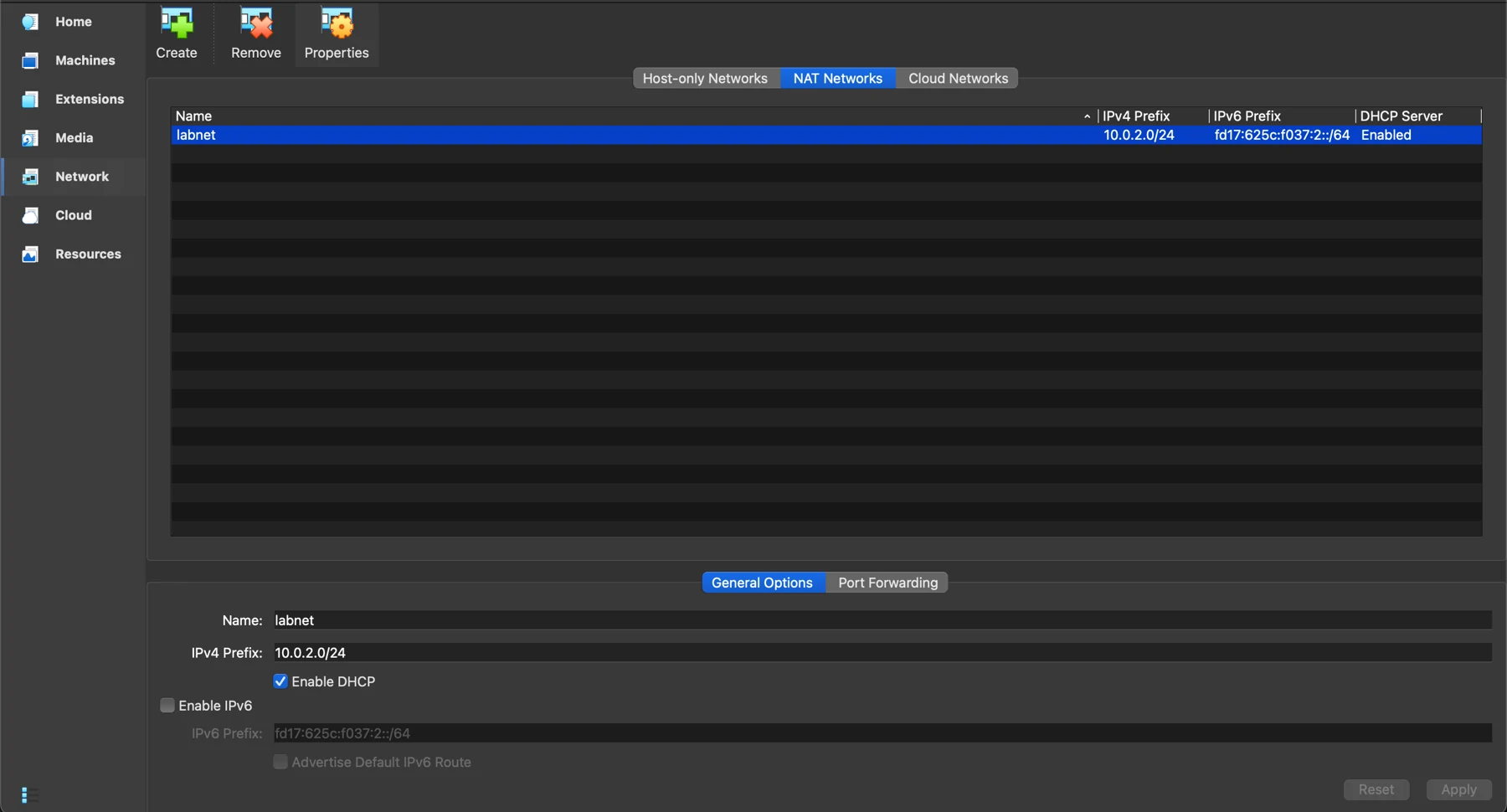
VirtualBox NAT network configuration used for the Wazuh detection lab.
Isolated lab network used to connect the test systems without touching production systems.
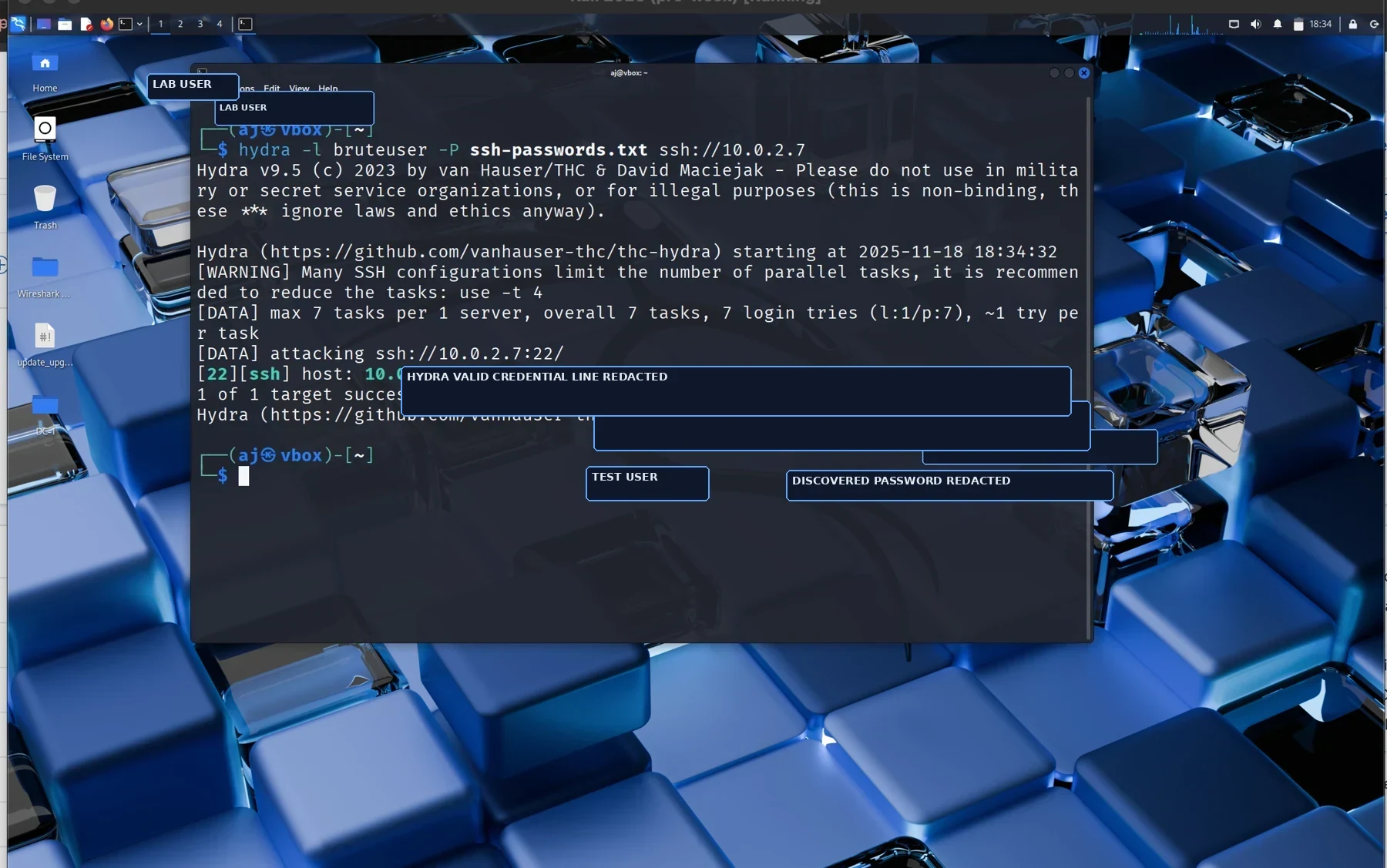
Sanitized Hydra output showing controlled SSH authentication activity against a Windows endpoint.
Controlled SSH authentication activity used to generate repeatable telemetry.
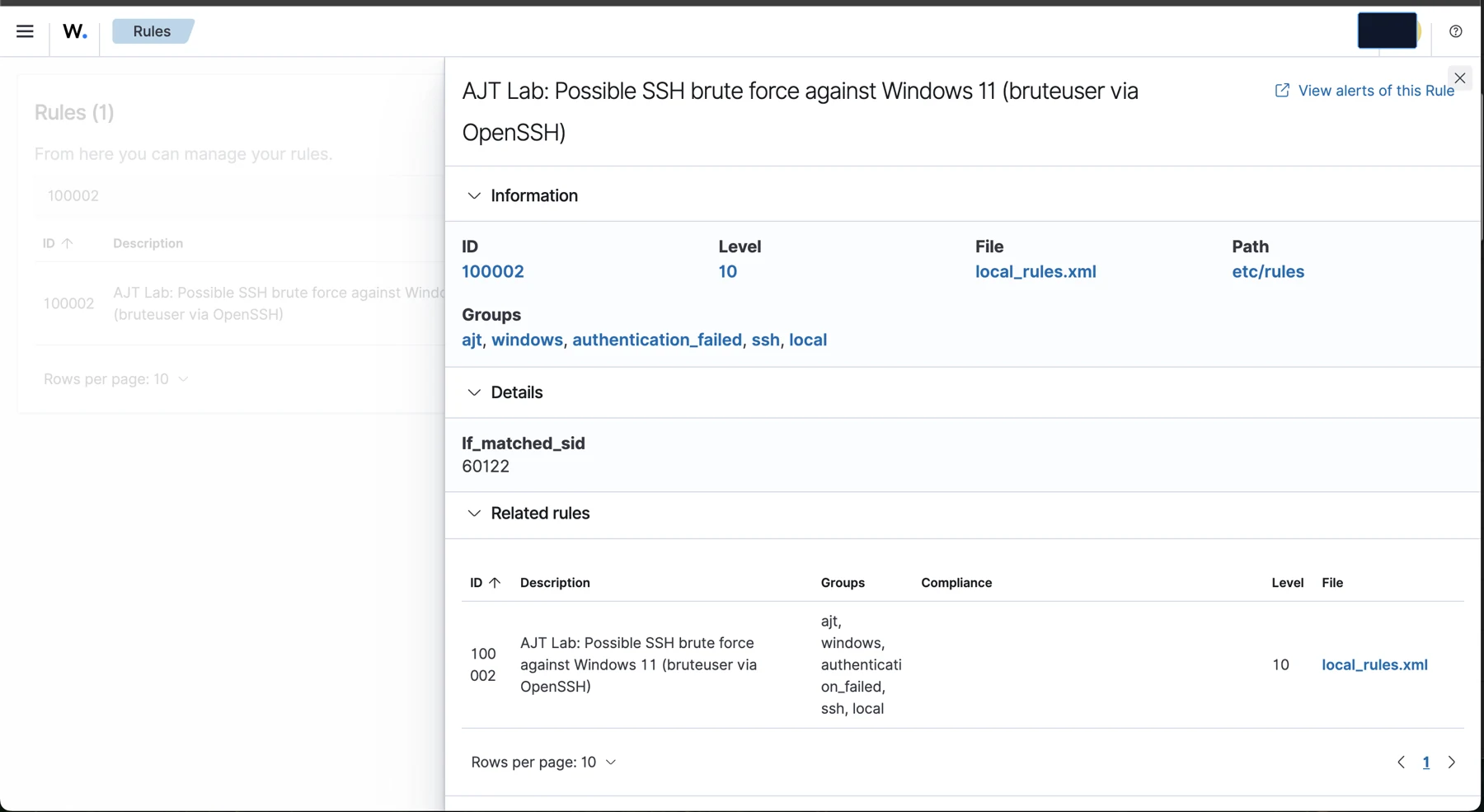
Wazuh custom rule details showing a level 10 possible SSH brute force rule.
Custom Wazuh rule logic with frequency and timeframe criteria.
Wazuh dashboard summary showing authentication activity and alert counts.
Dashboard summary showing authentication activity and alert volume.
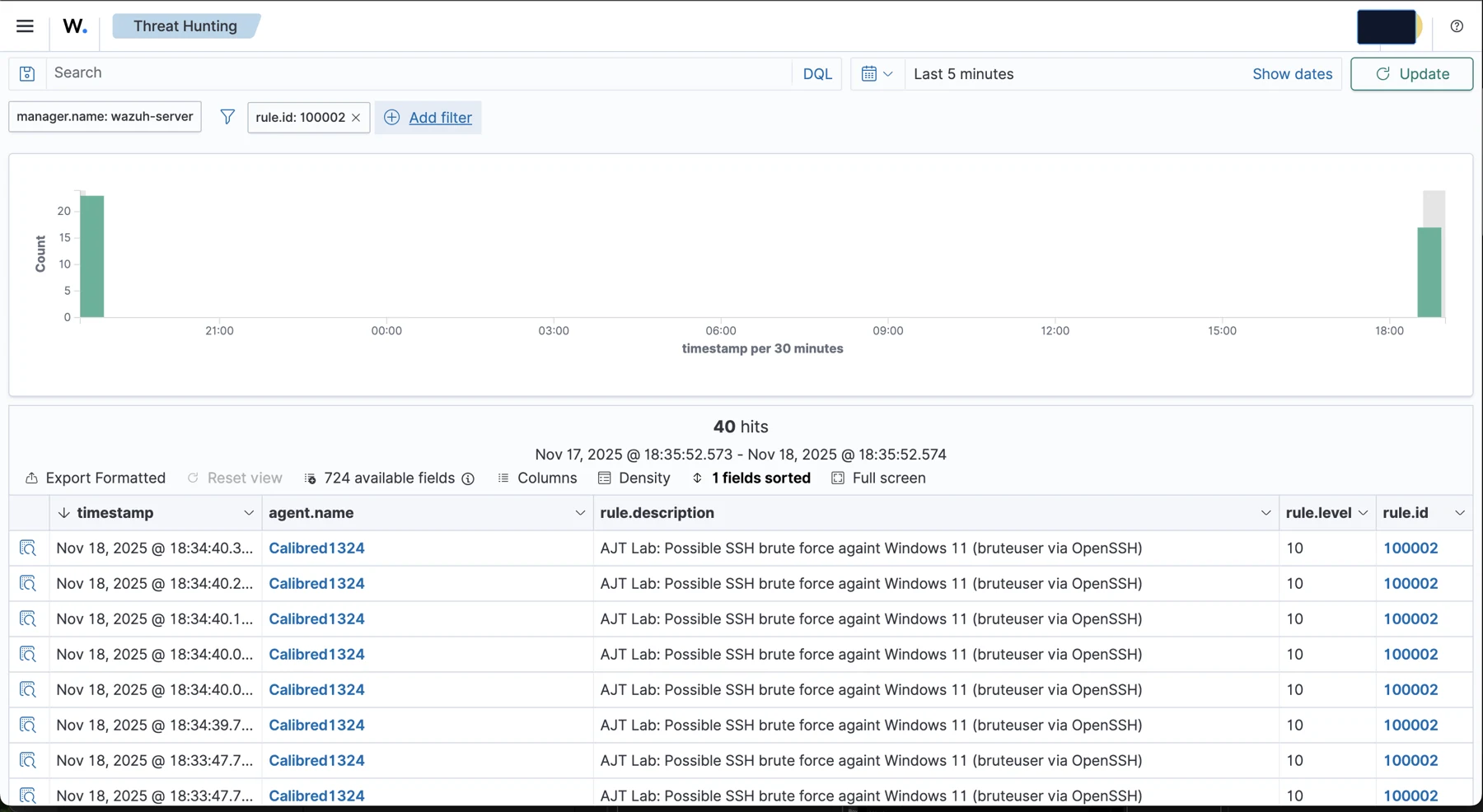
Wazuh Threat Hunting event table showing repeated custom rule hits for possible SSH brute force.
Threat Hunting results filtered to the custom detection.

Continue reviewing

Related case studies